Route price/rate settings
 Updated 1 month ago
by
Katarzyna
Updated 1 month ago
by
Katarzyna
Who can use this feature? The module is available to all CargoON users and to users of the TFF (Trans for Forwarders) product line who have the ARS add-on enabled - Solutions for automating freight offer publication (routes and automatic rules). |
From this article you will learn:
- how to set the pricing method for a route per route,
- how and when to set settlement per ton,
- how to set a flexible form of cooperation,
- how to create a pallet price list,
- how to add a surcharge to the base price.
Ways of settling a route
When settling a route with a carrier, you can choose one of two cooperation models:
Fixed cooperation – a pre-agreed base rate for the transport service that does not change for the duration of the contract. Within a fixed rate, you can settle in several ways, e.g.: per route, per ton.
The base rate itself remains unchanged, but the total settlement amount may vary if the parties agree on additional surcharges (e.g. for pallet exchange or fuel).
Flexible cooperation – the price on the route is set individually for each transport, depending on the current market situation. In this case, you can optionally indicate the settlement currency.
You can set the route settlement method in the form, in the Price section.
You can do this:
- while creating a new route
- or when adding a carrier to an existing route.
In this article we will show you how to set the pricing method using an existing route as an example.
- To set the settlement method, go to the Routes with carriers module and click on the chosen route.
- Click the Add carrier button
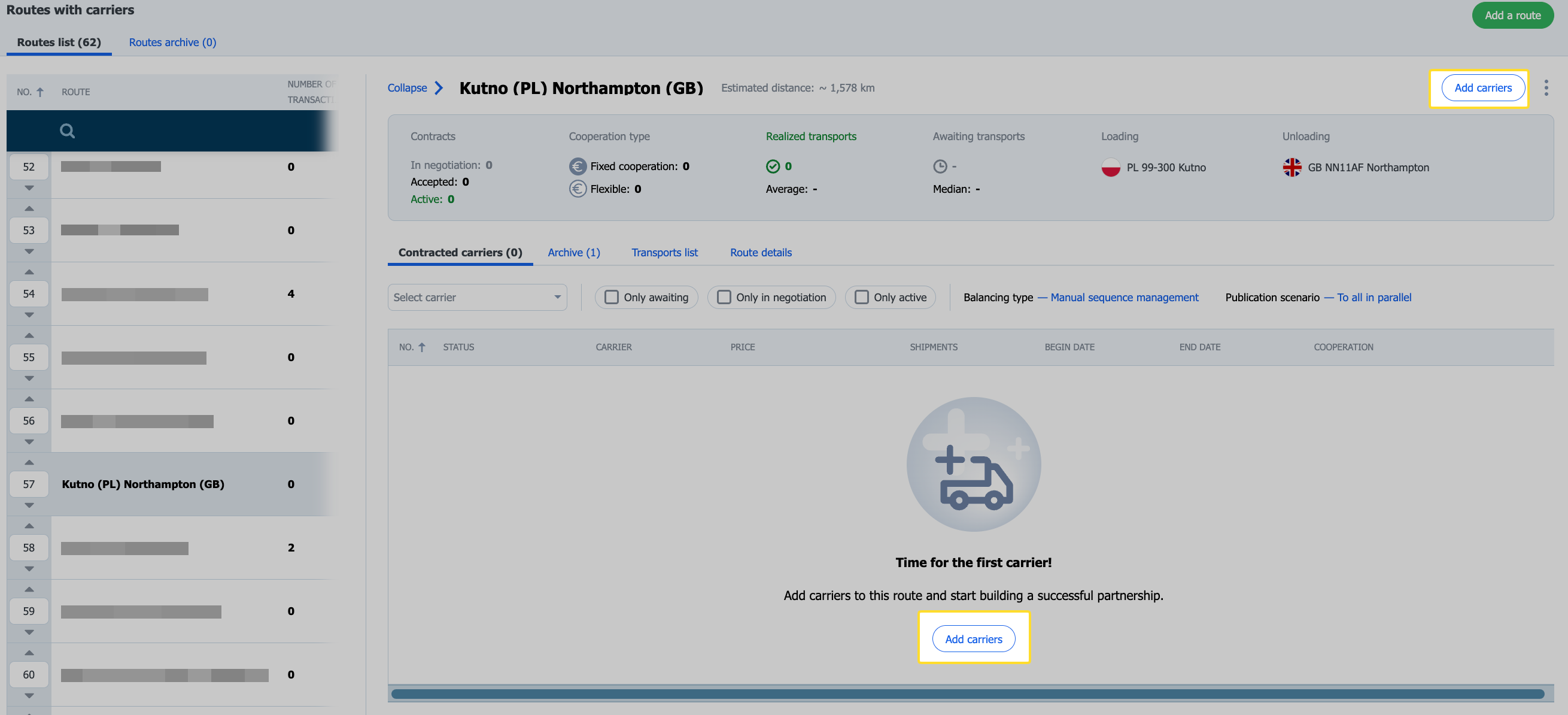
After choosing a fixed cooperation as the cooperation method, in the carrier-adding form, in the Price section, you will specify the settlement method you are interested in:
- per route,
- per kilometer,
- per ton,
- pallet price list.
You can also add surcharges to each of them.
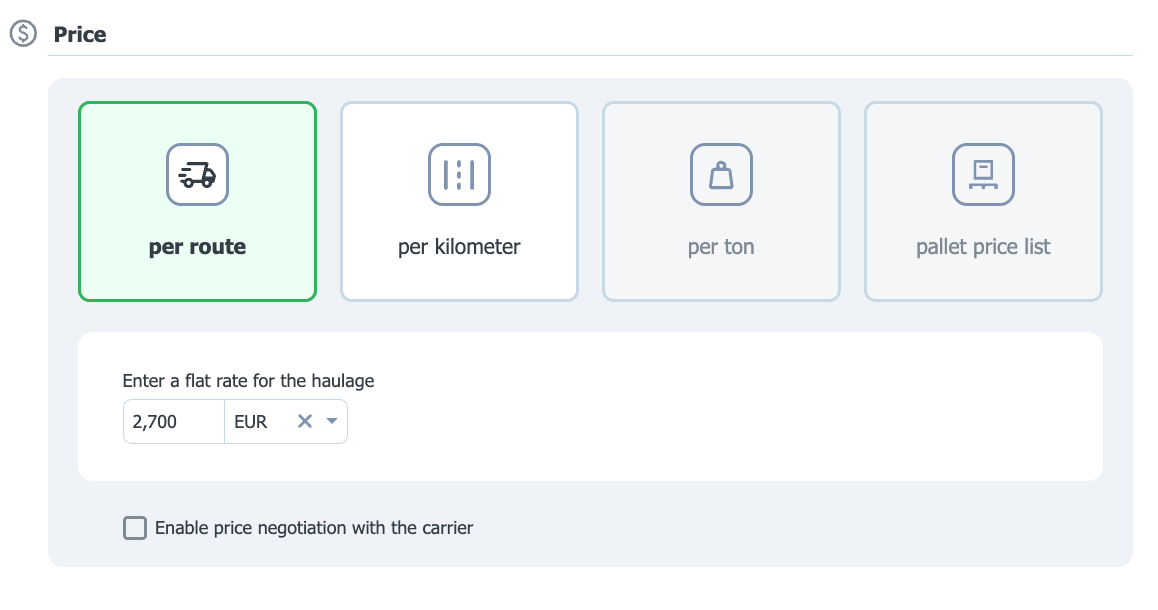
Price per route
To propose a fixed rate, choose the Per route option, enter the amount, and then set the currency. If you want the carrier to be able to submit their own price proposal, check the Enable price negotiation with the carrier checkbox.
Rate per kilometer
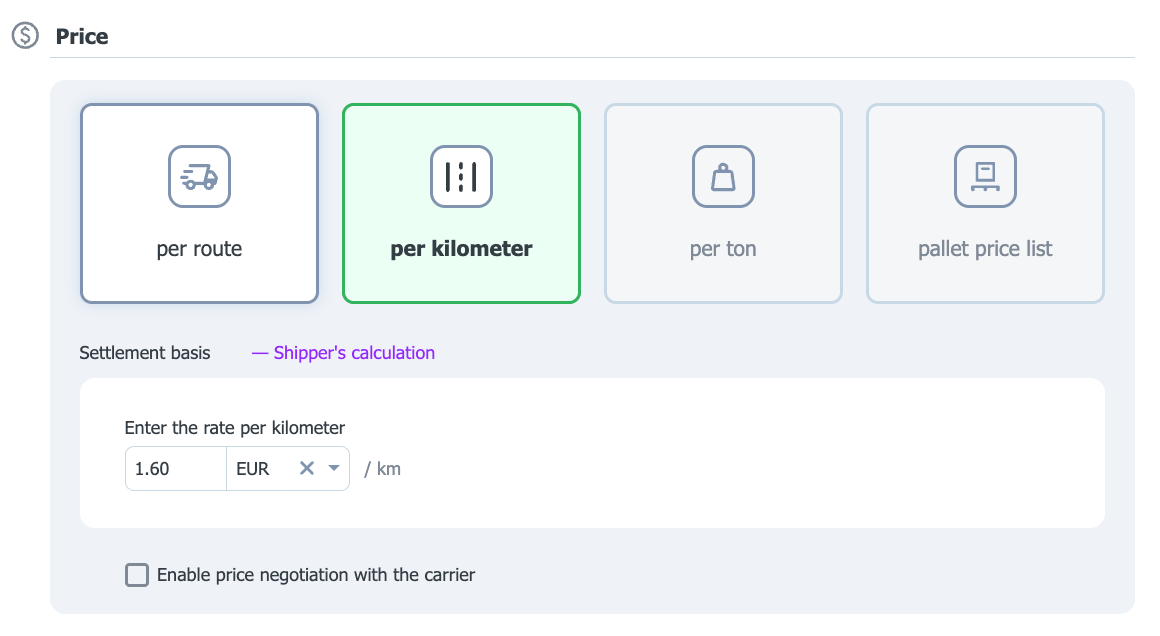
To settle per kilometer:
- Choose the Per kilometer option.
- Determine the settlement basis:
- Shipper's calculation (set by default),
- Carrier's declaration,
- according GPS.
- In the Enter the rate per kilometer field, enter the rate amount and choose the settlement currency.
- If you want to allow price negotiation with the carrier, check the Enable price negotiation with the carrier checkbox.
Rate per ton
You can use per-ton settlement only if, when creating the route, you choose a body type intended for transporting bulk materials, i.e. tipper, walking floor, and/or silo.
In such a case, in the form for adding a carrier to the route, the per-ton rate option will be selected automatically.
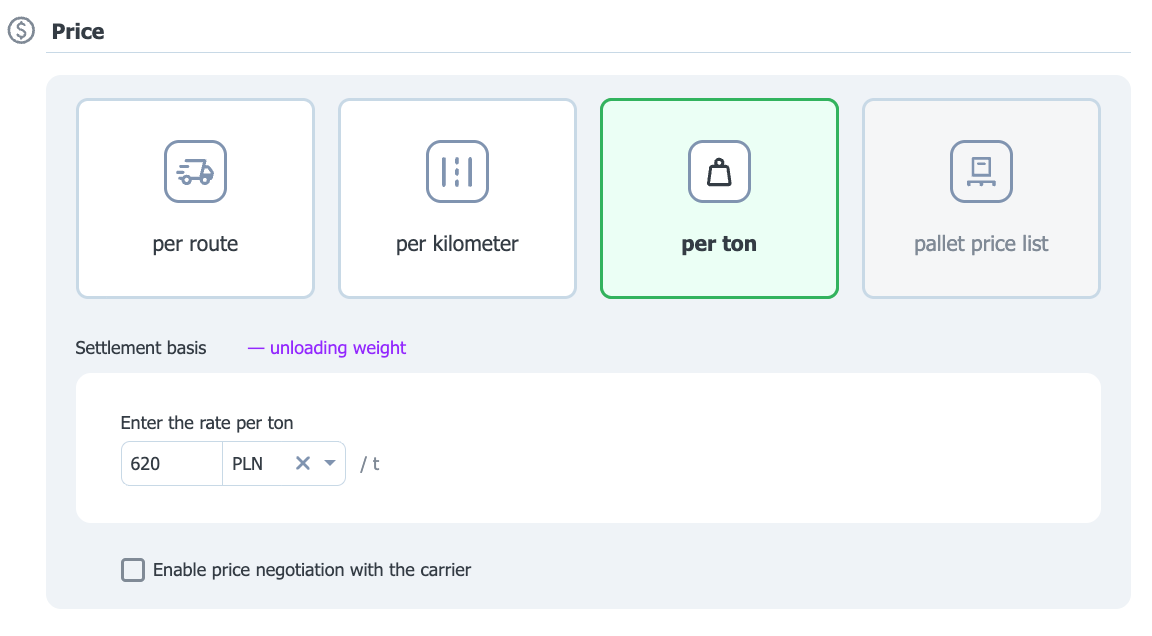
To configure the per-ton rate:
- Choose the Per ton option.
- Determine the settlement basis:
- weight at loading, or
- weight at unloading (this option will be selected by default).
- Enter the amount, then choose the currency.
- Check the Enable price negotiation with the carrier checkbox if you want to allow the carrier to propose their own price.
Pallet price list
You can use the pallet price list option only if, when creating the route, you choose pallet as the cargo type.
To configure a pallet price list:
- Choose the Pallet price list option.
- Determine the settlement method:
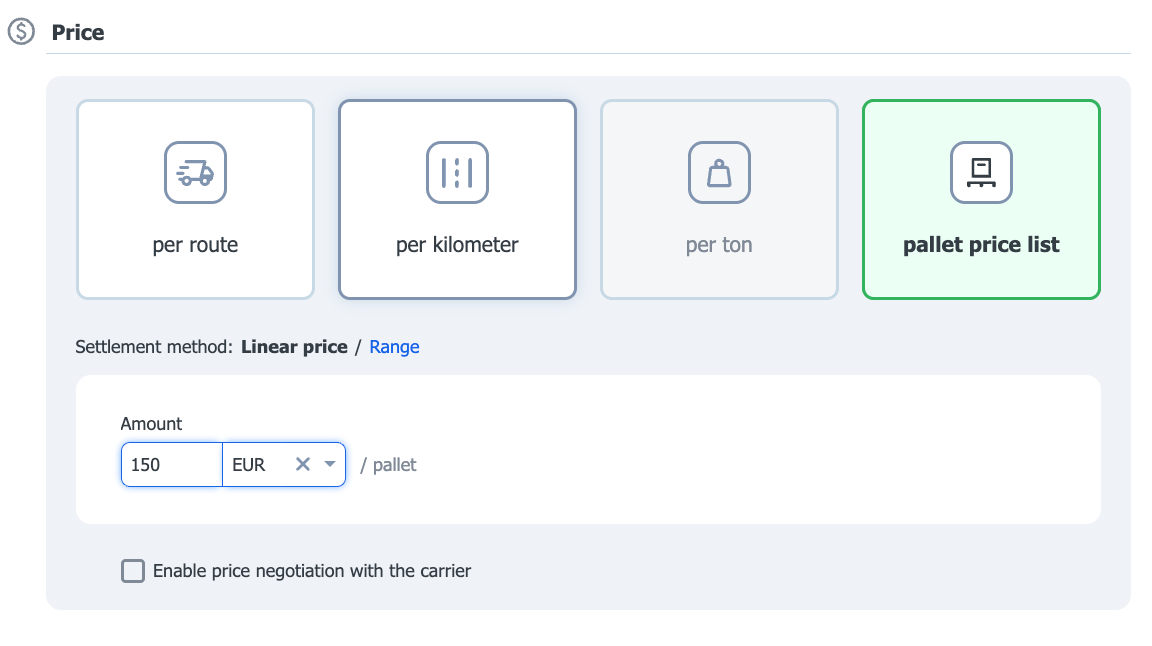
- Linear price (price per pallet):
- Enter the amount.
- Choose the currency.
- Optionally enable price negotiation with the carrier
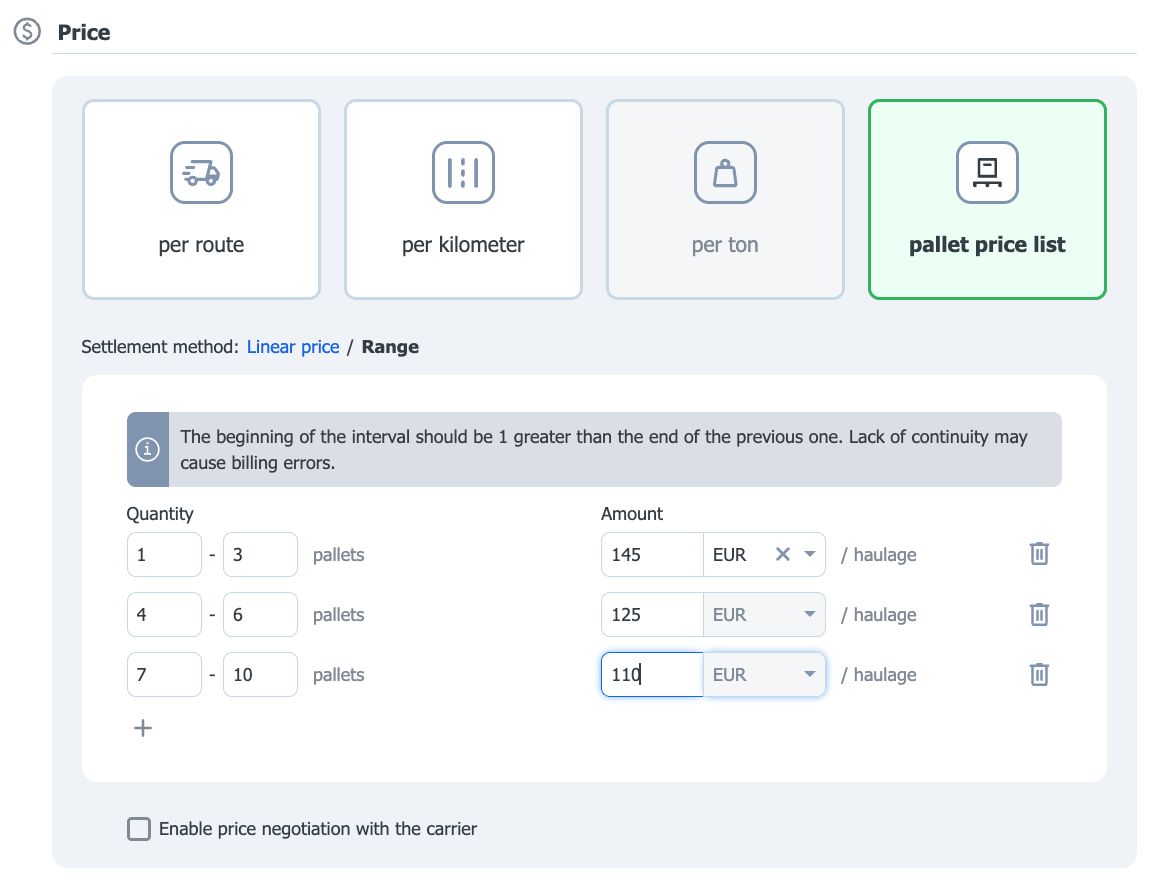
- Range:
- Create pallet ranges.
- For each range, enter the corresponding amount and currency.
- You can optionally enable price negotiation with the carrier for a given range.
Surcharges
You can add surcharges to the base price resulting from various factors, e.g. the current market situation.
- To add a surcharge, go to the Surcharges section and click Add new surcharge

- In the form for adding a new surcharge you can:
- choose a surcharge from a template (learn how to add a template in the article Surcharge templates)
- choose the surcharge type:
- Additional stops (learn how to add a freight with a surcharge for an additional operation point).
- Fuel surcharge (learn more about the fuel surcharge).
- Pallet exchange (learn more from the article).
- Days of the week (see how to add a freight offer with this surcharge).
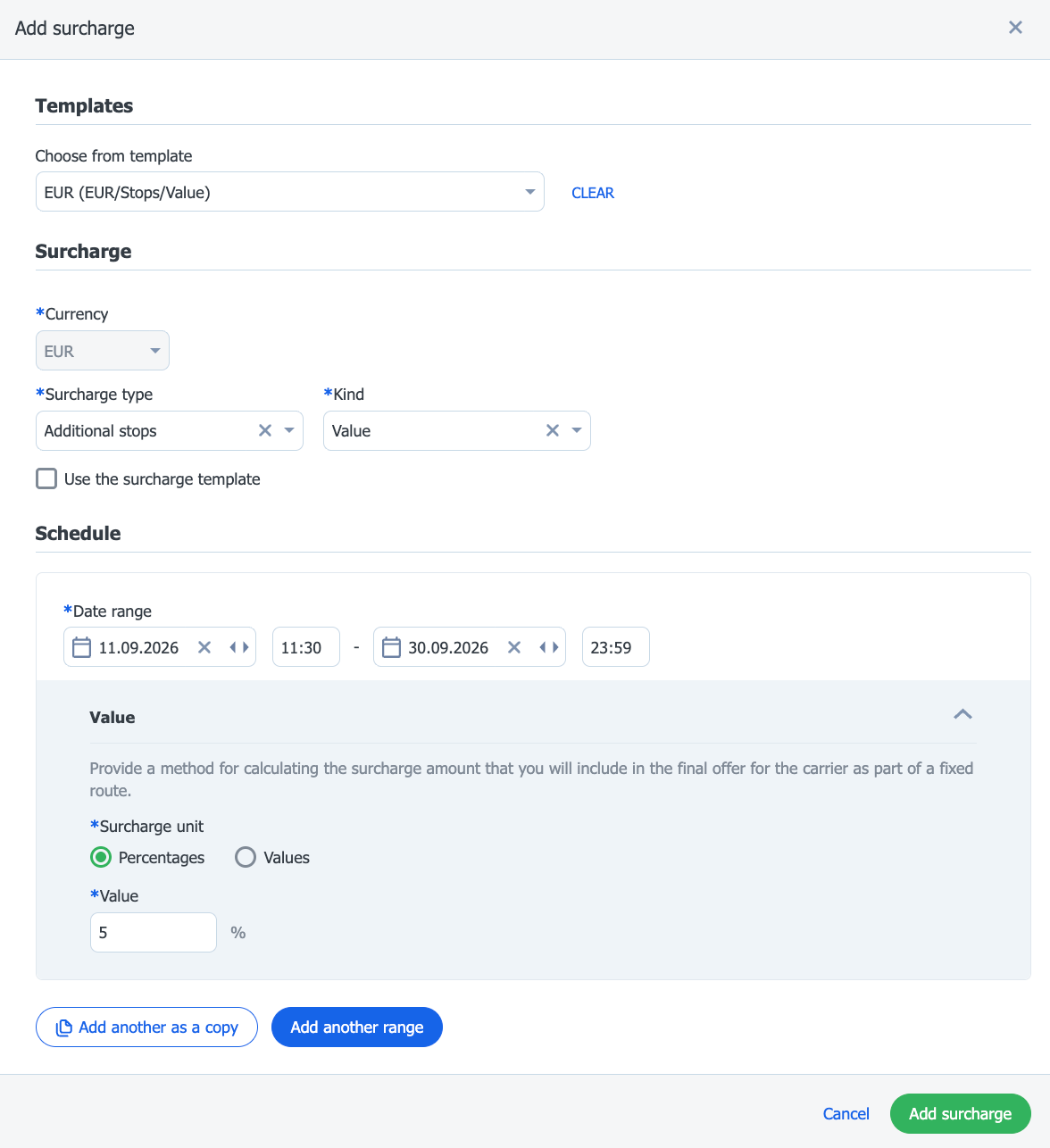
If you choose a surcharge type, you must specify its kind (grid, linear rate, or value) and its validity period.
- Click Add surcharge to confirm.
You can edit or delete a surcharge, as well as add another one to the cooperation terms.
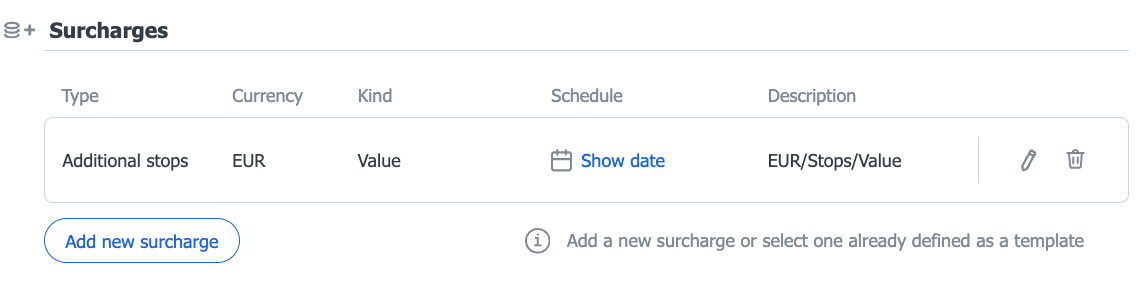
An added surcharge will be marked with a coin icon next to the rate.

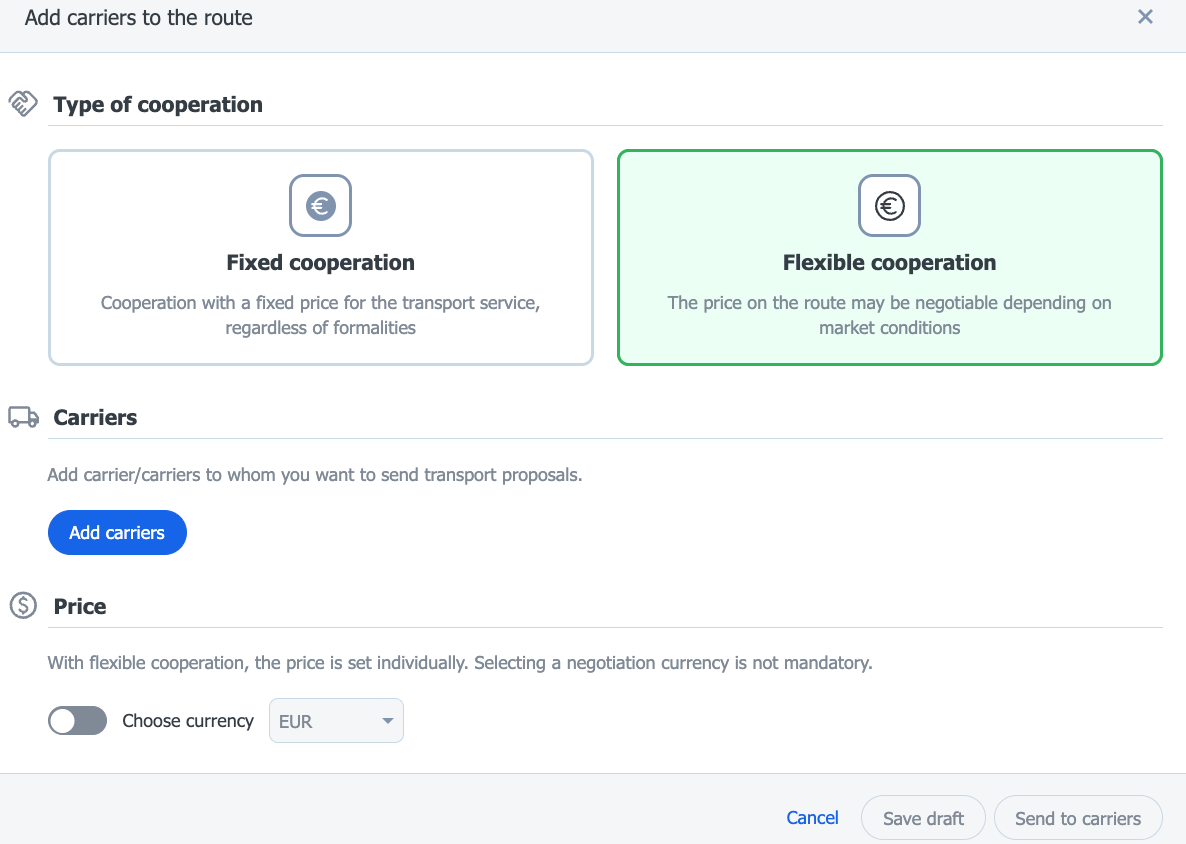
Flexible cooperation
- In the Type of cooperation section, select the Flexible cooperation tile.
- Add the carriers to whom you want to send transport proposals by clicking the Add carriers button.
- In the Price section, you can optionally indicate the negotiation currency – turn on the Choose currency switch and select the appropriate currency from the list. Choosing a currency is not mandatory.
With flexible cooperation, the price on the route is not set in advance – it is negotiated individually for each transport, depending on the current market situation.
Different prices/rates within one route
Within one route, you can propose individual pricing terms to different carriers.
To do this, fill in a separate cooperation terms form for each carrier or group of carriers:
- In the route details view, click the Add carrier button.
- Fill in the route terms form again.
The defined terms will appear on the list of carriers to whom you sent the offer.
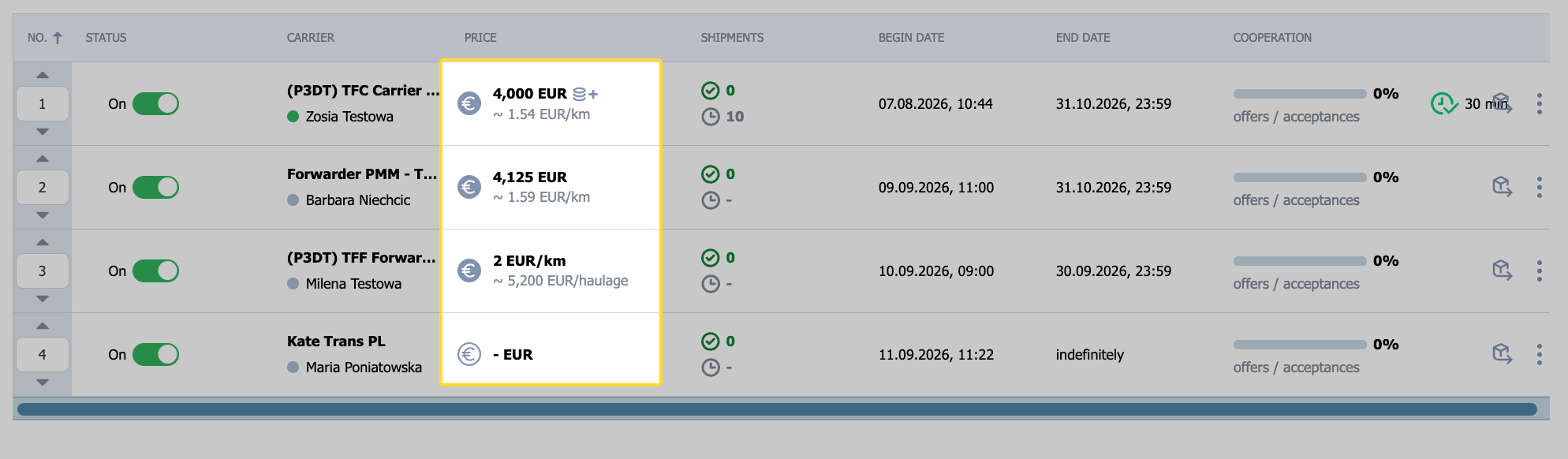
In the Price column you will see a summary of the proposed rate, which may include the following information:
- Currency per kilometer (e.g. EUR/km): Specifies the rate per kilometer traveled.
- Currency only: Indicates that no specific price has been given, and the carrier may submit the first proposal.
- According to price list: Means that a pallet price list has been shared with this carrier. Click the "i" icon to view the price list details.
- Variable price: Indicates that within this fixed route, each freight may have a different rate set.
