The module is available to all CargoON users and to users of the TFF (Trans for Forwarders) product line who have the ARS add-on enabled - Solutions automating the publication of freight offers (routes and automatic rules).
The Routes with carriers module lets you set the rules of cooperation on recurring routes once - who handles it, on what terms, and in what order - and the system applies them automatically to every subsequent matching load. The level of formality adapts to the relationship with the carrier: from full contracts with a fixed rate, to a looser cooperation with a price negotiated each time - both models can be combined even on the same route.
From this article you will learn how to:
create a route,
send a route offer to selected carriers,
negotiate a route offer with carriers,
amend the terms of a route offer.
Route configuration
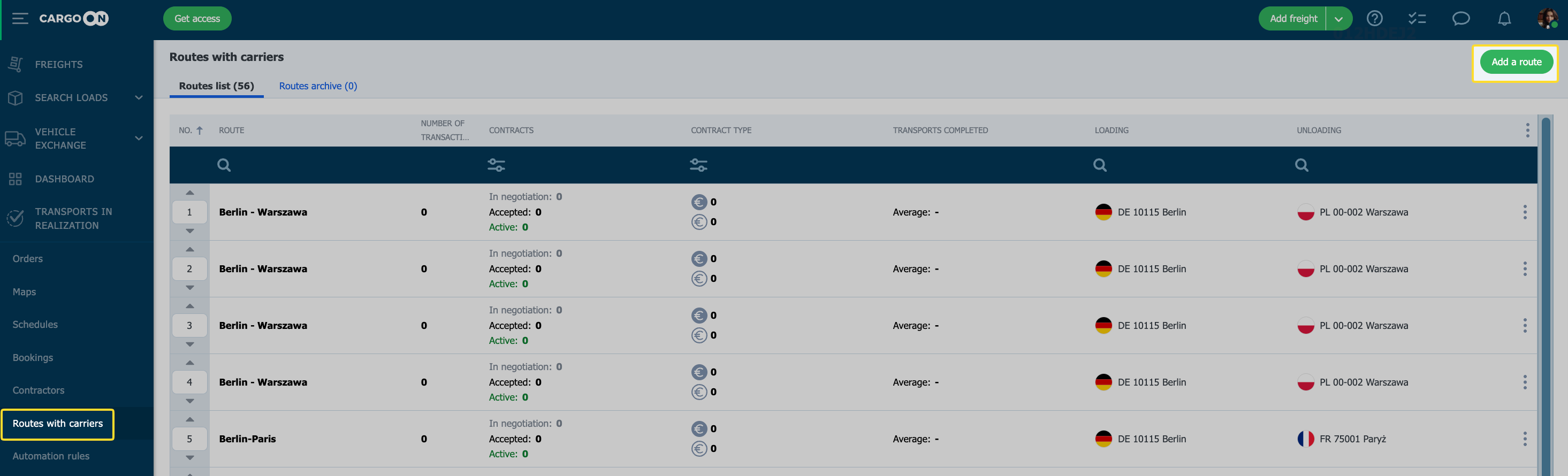
To create a route for contractors, select the Routes with carriers module on the Platform.
Click Add route.
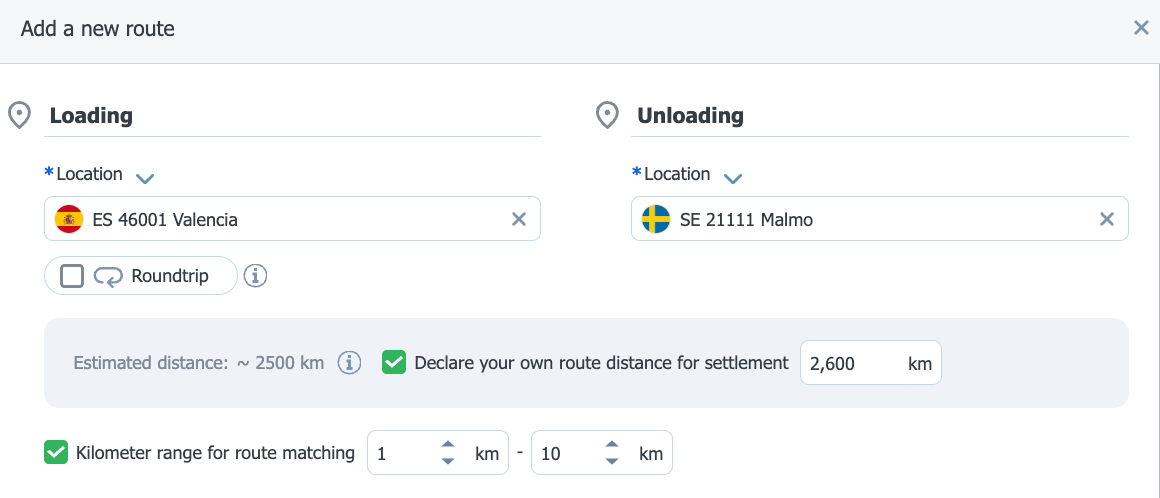
Fill in the route creation form, entering:
the loading and unloading addresses.
If you have the appropriate add-on in the system, you can define your own distance, which will serve as the basis for calculating the price.
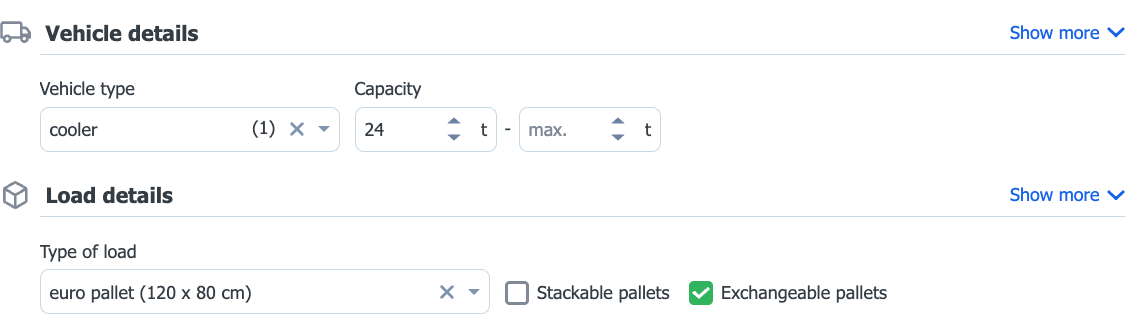
optionally you can add information about the vehicle and load details, so that the system can match the appropriate rate to the route.
By default, forms show only the most commonly used fields. The remaining options are hidden under the Show more link.
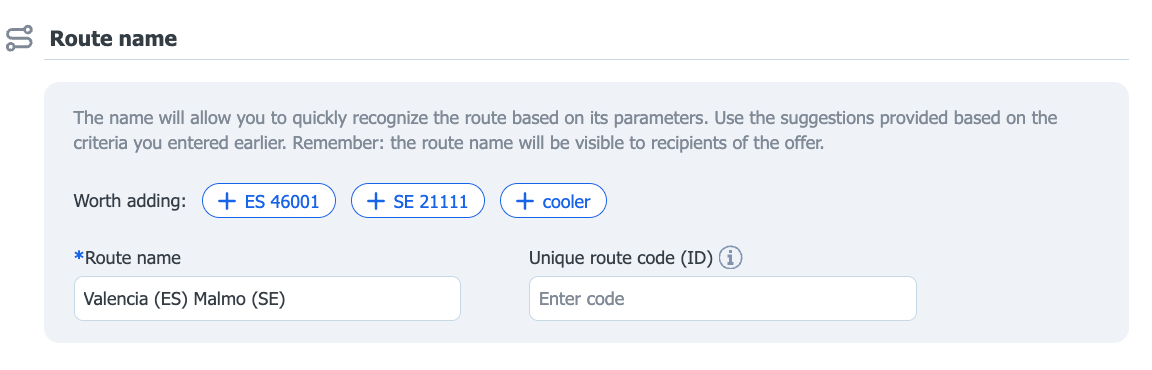
Name your route so you can quickly identify it on the list. You can use the system's suggestion.
You can enter a Unique route code - an identifier known to you that lets you consciously refer to the route when pricing a freight. This is useful for new directions - you can use a similar route or rate per km instead of creating a new one.
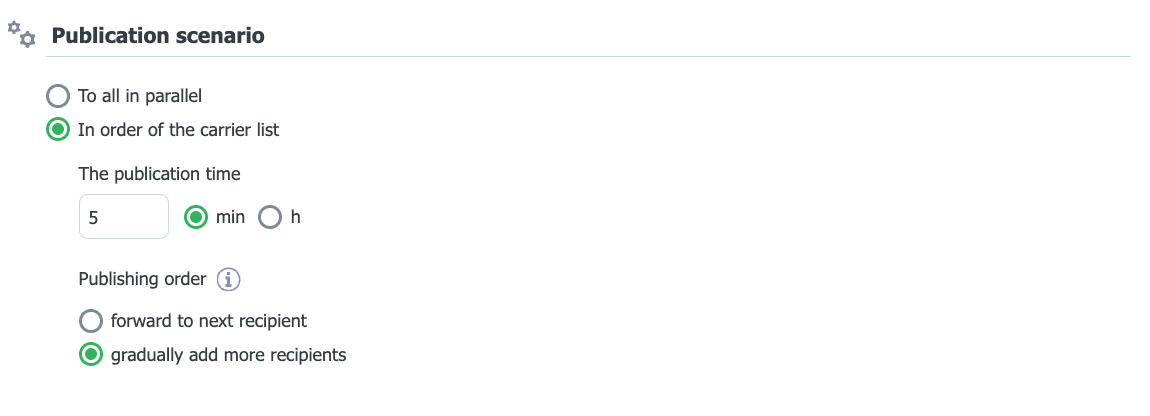
Publication scenario - specify how offers are sent to carriers and in what order they will be able to accept or negotiate them.
Publication methods
To all in parallel - all carriers assigned to the route receive the offer at the same time.
In orderof the carrier list - the offer goes to carriers one after another, according to the order and publication time you set. In this mode you can choose one of the options: - Forward to the next recipient - if the carrier does not accept the offer within the specified time, it is passed on to the next one on the list. - Gradually add more recipients - after a specified time the offer also goes to the next carrier, while the previous one can still accept it.
After filling in the form, click the Save route button or Go ahead and add carriers, if you want to send your proposal to the contractor right away.
After creating a route, a new automatic rule will be created in the Automatic rules module.
Type of cooperation
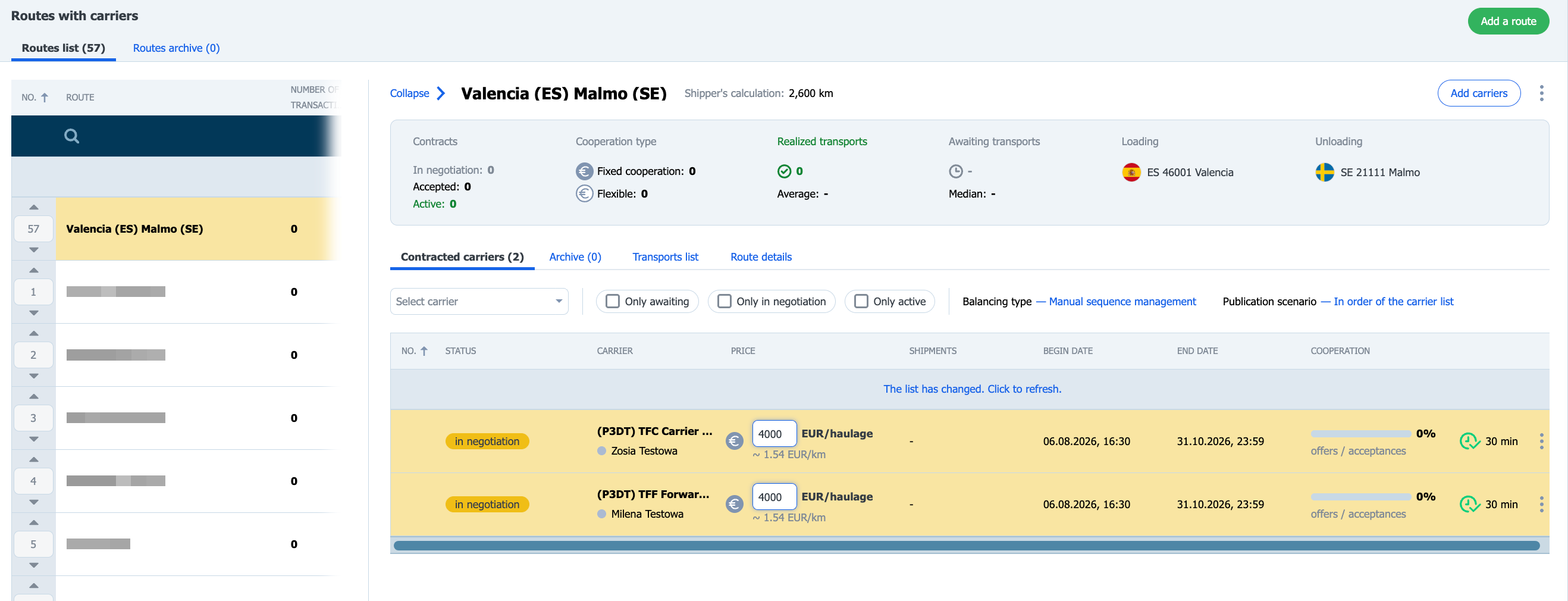
If, while creating the route, you clicked the Add carrier terms button, you will be automatically taken to the form for adding a carrier to the route.
To add a carrier to an already existing route, select it in the Routes with carriers module, and then click the Add carriers button.
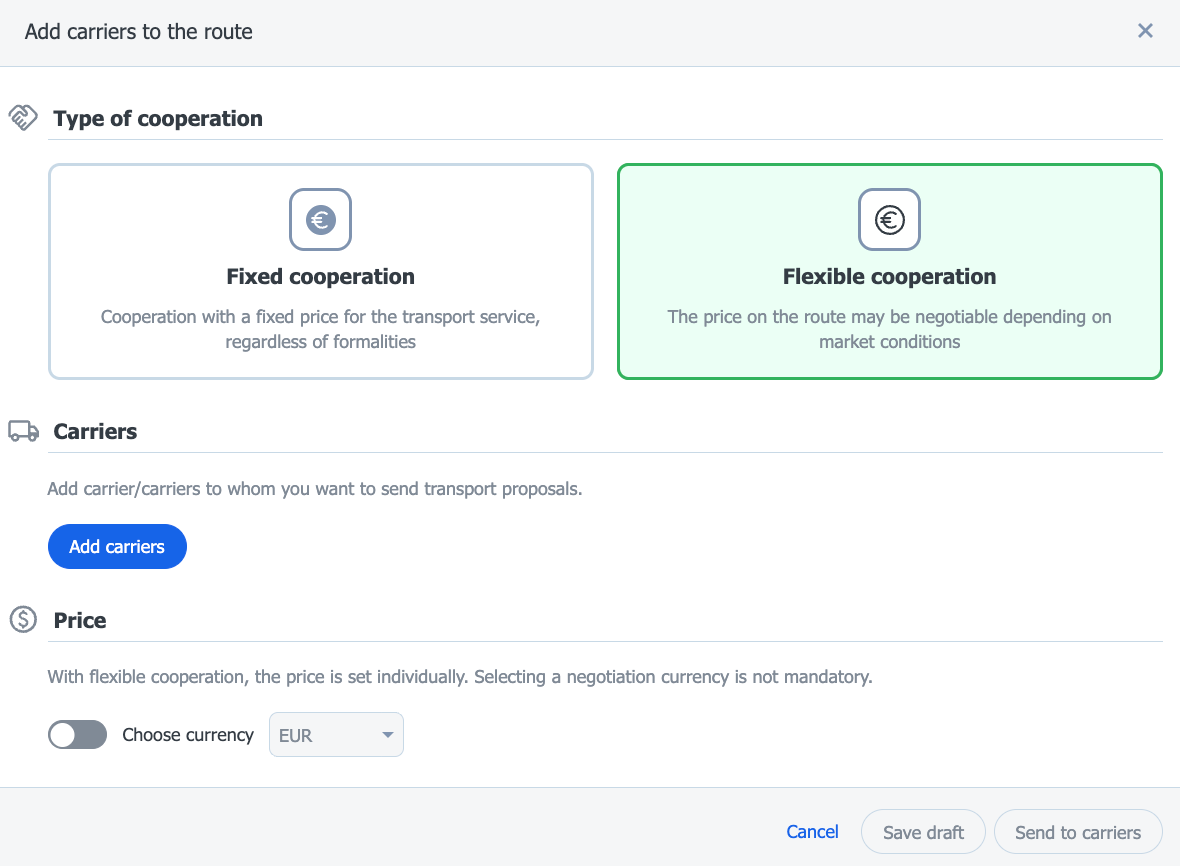
Specify the type of cooperation:
Fixed rate - means a base rate for the transport service agreed in advance. The base rate does not change for the entire duration of the contract - however, the total settlement amount may differ if the parties agree on additional surcharges.
Flexible cooperation – the price on the route is set individually for each transport, depending on the current market situation.
Flexible cooperation - key rules
No contract elements - no price set in advance, no payment term, no reference number and no duration. The carrier negotiates the price for each transport. Start = carrier's acceptance – the cooperation begins at the moment the invitation is accepted; the end date is automatically set as indefinite. Currency optional - unchecked by default. Invitation via two channels - through the route list (if the carrier has access to the module) and through Decisions to be made (module access is not required). Private publication - the offer goes only to the designated people at the carrier's company, with the full package of notifications (platform, messenger, e-mail).
Both types of contracts can exist on the same route at the same time, and the freight can be published to both simultaneously.
Assign a carrier to the route
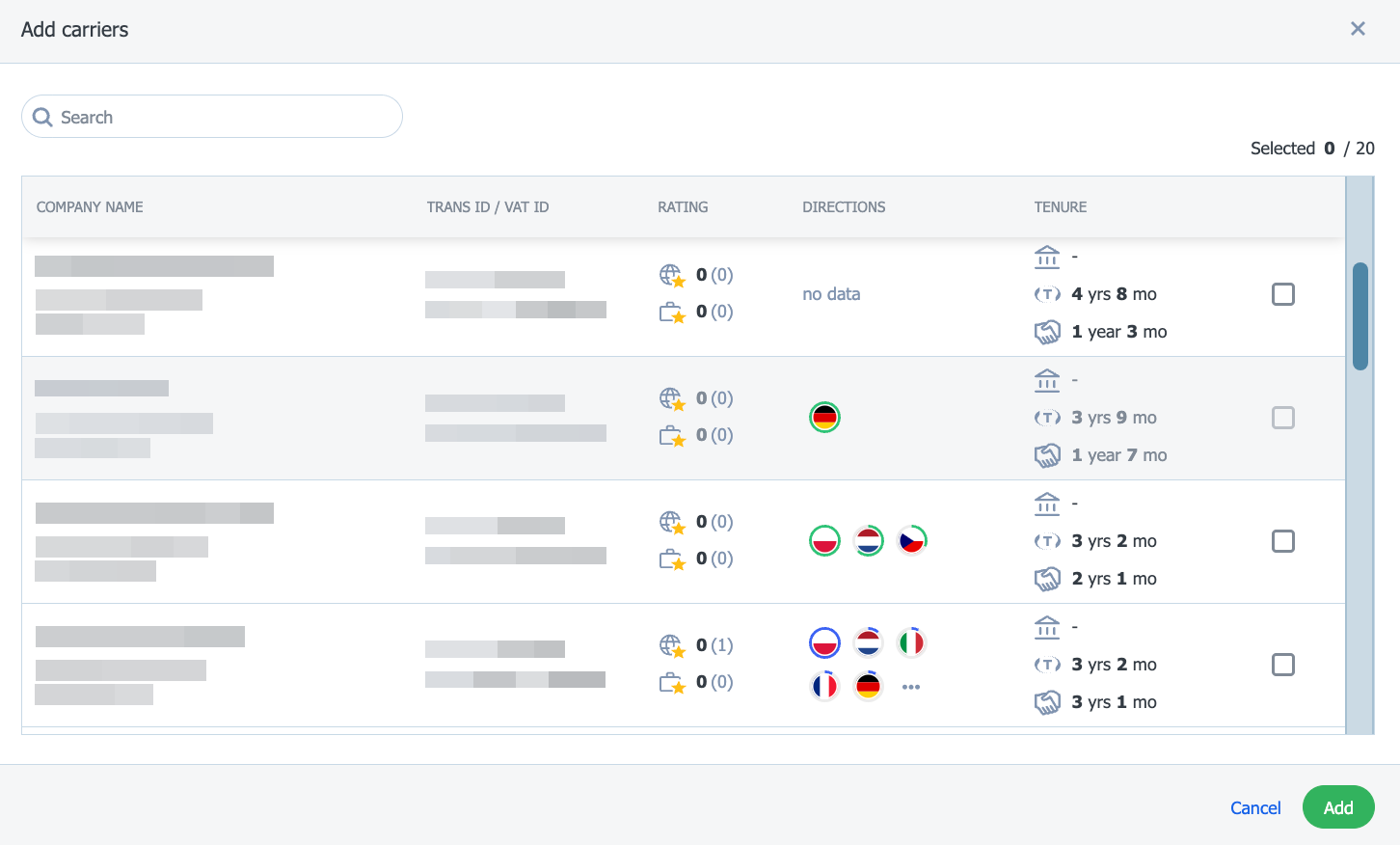
Select a carrier from the list
Select the companies you want to invite to carry out transports on this route, then click Add.
You can select more than one carrier from the contractor list. All selected carriers will receive the proposal for the same cooperation terms for the route.
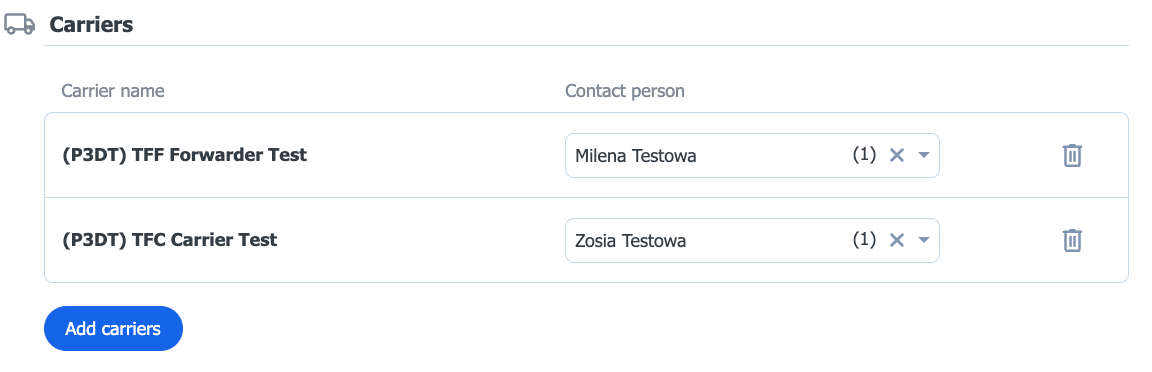
In each of the selected companies you can designate a contact person for discussions about the route terms.
The contact personwill receive notifications about events related to this route. If you do not designate specific contact people, notifications will be received by all users from the given carrier company.
Specify the duration of the cooperation
Enter the start and end date of the cooperation, or select the indefinite option.
Selecting the indefinite option makes the end date field no longer required. This way you avoid a situation where you forget to extend the cooperation in time and lose the carrier when the deadline unexpectedly passes. Note: this field applies to cooperation with a Fixed rate. Flexible cooperation, described above, is indefinite by default.
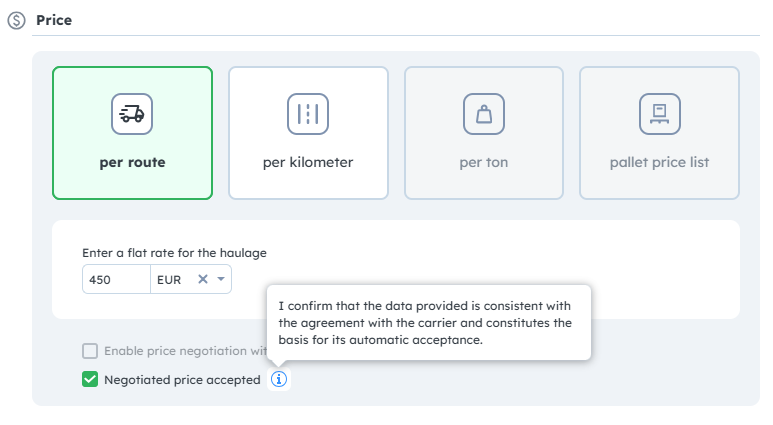
Choose the settlement method.You can match the price type to the nature of the order:
Per route – a fixed, lump-sum rate for carrying out the entire transport.
Per kilometer – a rate depending on the number of kilometers driven, with the option to choose the settlement basis (calculation by the shipper, the carrier, or GPS data).
Per ton– settlement based on the weight of the load (option available for bulk materials specified in the vehicle details).
Pallet price list – rates based on the number of pallets (for palletized loads defined in the load details). It has two variants worth distinguishing:
Linear rate per pallet – the price increases proportionally to the number of pallets. Lump-sum rate per trip, depending on the pallet number ranges – you set a grid of ranges (e.g. 1-5 pallets, 6-10 pallets), and assign one fixed price for the entire trip to each range. Settlement basis
After choosing a rate per tonne or per km, you must additionally indicate the settlement basis, i.e. the way of determining the value (weight or number of km) that will be used to calculate the fee for a single transport. For the rate per ton: - Weight at loading or unloading (default value) - this field is visible when the rate per tonne has been chosen as the settlement method. For the rate per kilometer: - stated in the contract - non-negotiable, fixed number of km, - according to GPS - based on GPS monitoring - according to the Contractor's declaration - the number of km indicated by the carrier - to be agreed by both parties - the number of km agreed jointly by both parties, with the option to define an acceptable tolerance (percentage value) for automatic acceptance of the settlement.
Acceptance of contract terms on behalf of the carrier If you have already agreed on the route terms with the carrier outside the platform, you can start the contract right away. You do not have to wait for the carrier to accept it on the platform. This option is useful when you have already agreed on the rate and terms of cooperation with the carrier, for example in a contract, by email, by phone or in a tender tool. The contract immediately has the status of accepted, so you can publish freights on this route without delay.
Click: Negotiated price accepted.
By selecting this option, you declare that the data provided is in accordance with the agreement with the carrier and constitutes its automatic acceptance. The carrier receives a notification that the route terms have been accepted automatically.
Possibility of terminating the contract. The carrier can terminate the contract at any time by clicking End Contract (previously Archive). The contract then goes to the Archive tab and the publication of new freights on it is suspended.
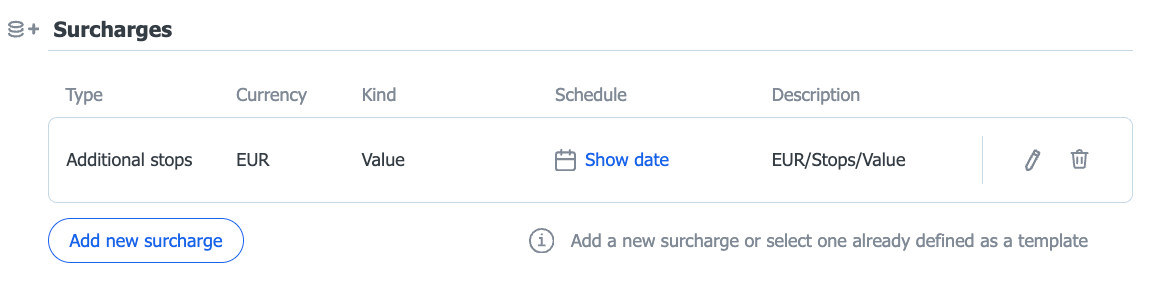
Add surcharges Surcharges allow flexible price management during the term of the cooperation terms. You can use the following surcharges: fuel, day of the week, pallet exchange, and additional operation point.
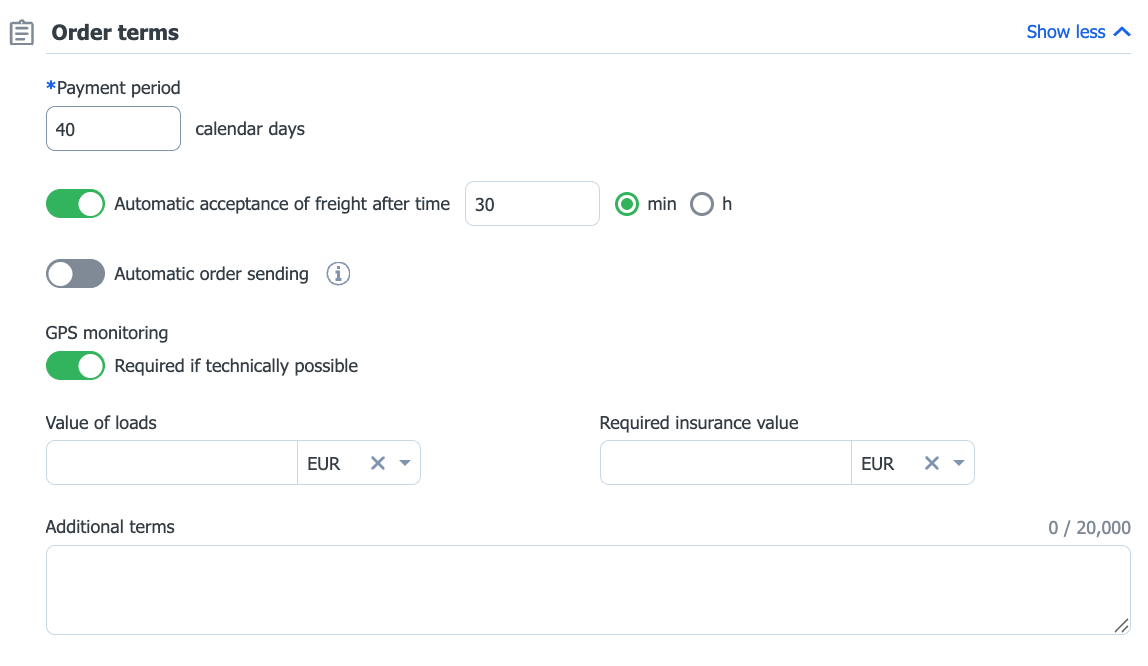
Enter the payment term, and optionally you can: set the automatic acceptance time, enable automatic confirmation, enable the requirement for GPS monitoring if technically possible, enter the value of the goods and the required insurance value, and enter additional arrangements in the text field.
By default, forms show only the most commonly used fields. The remaining options are hidden under the Show more link.
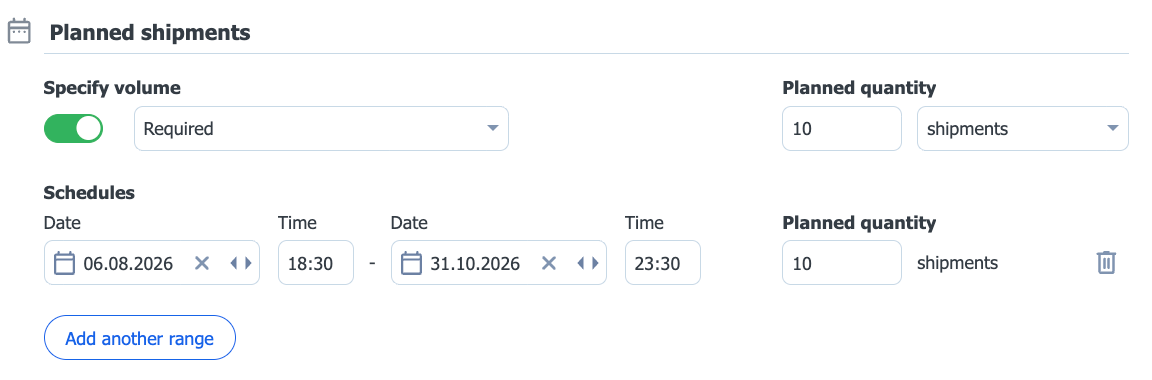
You can specify the number and schedule of planned transports - the total volume of trips or its breakdown into specific date ranges.
After completing the form, save it as a draft or send the cooperation proposal to the carrier.
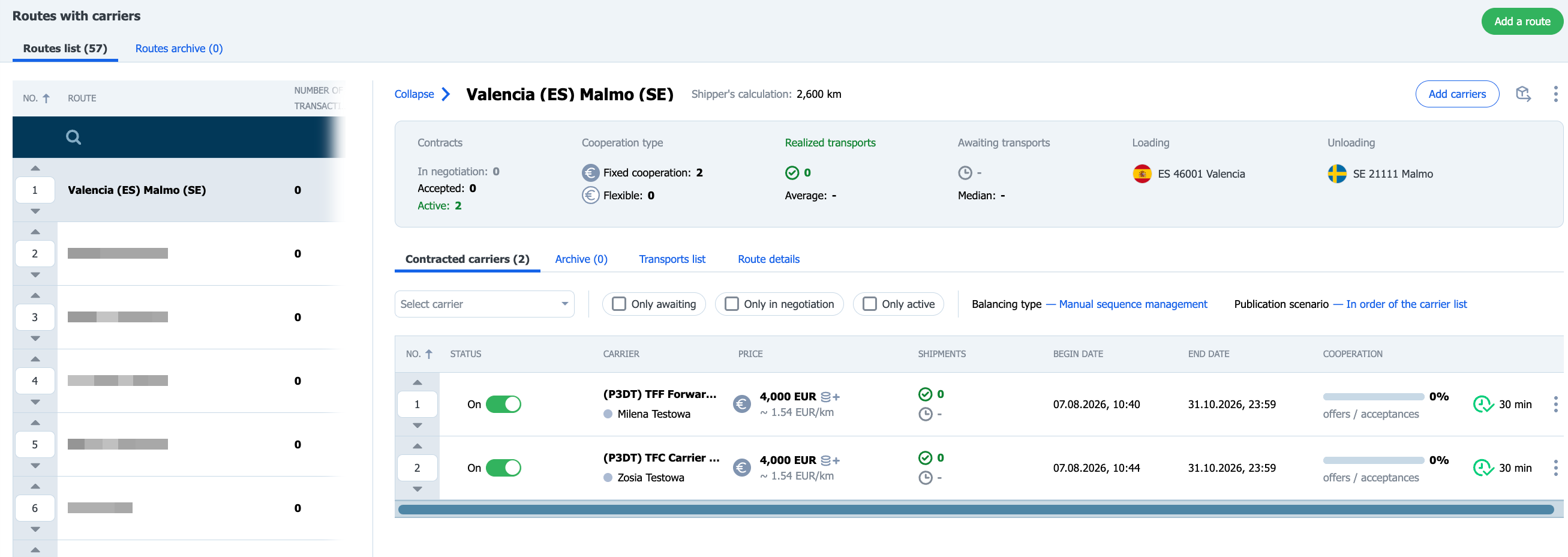
You will find the created fixed route on the Route list.
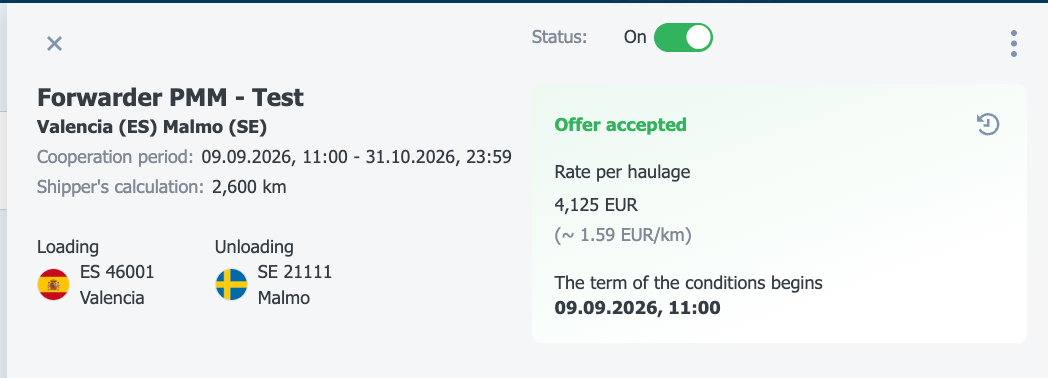
Once the carrier accepts the route, the cooperation status will change to On.
Changing cooperation terms with an annex
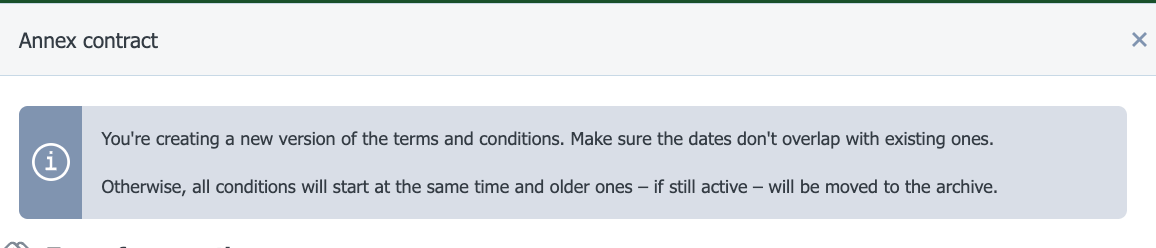
If you want to make a quick edit to the cooperation terms (e.g. a rate change), use the annexoption. This way the amended terms will be a continuation of the previous ones and you will keep their continuity.
If you want to introduce more changes with the same carrier on a fixed route and use the Add carrier option, new cooperation terms will be created and you will not keep continuity.
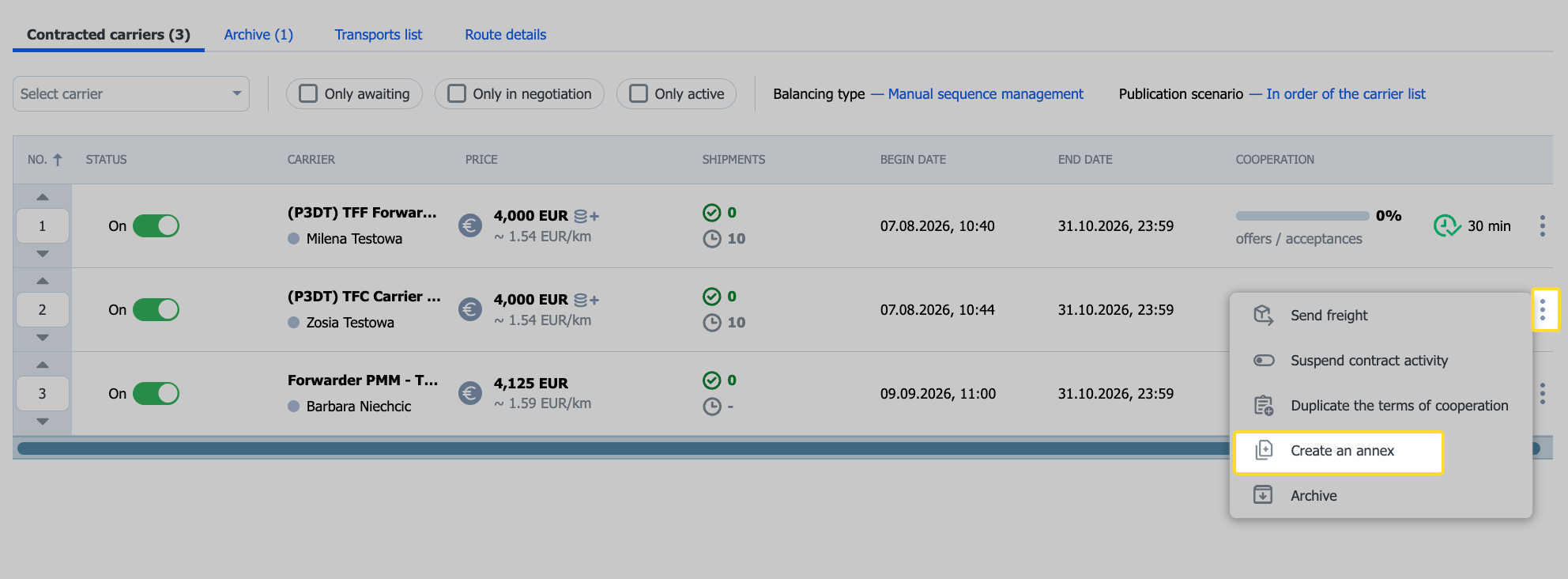
Change the cooperation terms for the selected carrier using the annex option.
Click the three-dot icon next to the selected carrier, and then Create an annex.
In the contract amendment form you cannot change the carrier, but you can change the contact person.
If you create new cooperation terms (the Add carrier option), you will receive information that you already have active cooperation terms with the given carrier.
On the list of carriers who received cooperation terms, the new terms will be saved as a new, separate contract.
Make the changes and click the Send to carrier button. After the carrier accepts the terms, the status will be Active.
Negotiating the offer
After reviewing the route offer, the carrier can accept it, negotiate it, or reject the proposed terms.
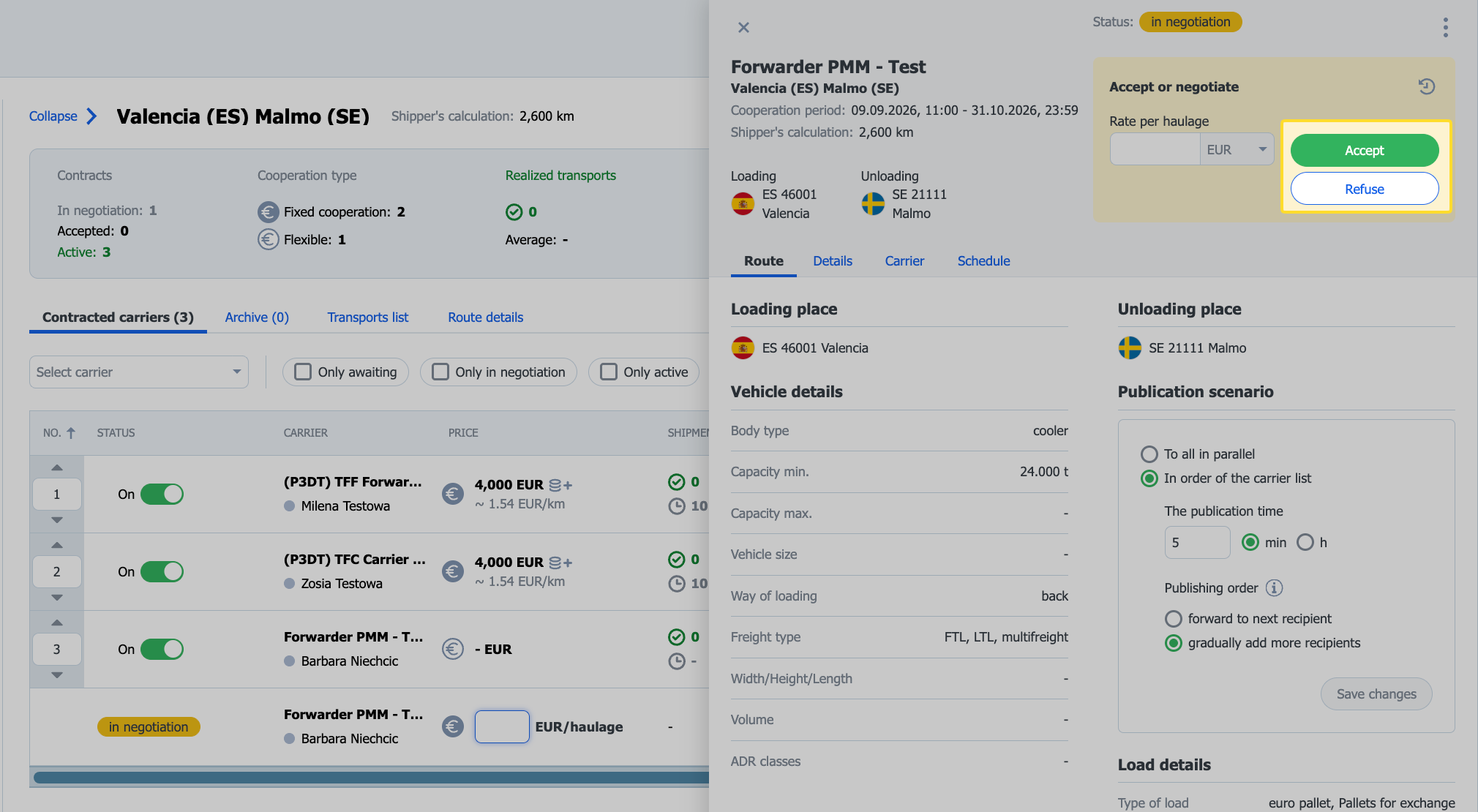
If, when setting the price per trip, you checked the Enable price negotiation with the carrier option, the contractor can propose their own rate. Such an offer will have the status Accept or negotiate price.
Click the offer with the status Accept or negotiate price.
You can accept the carrier's proposal (Accept), reject it (Reject), or make a counteroffer by entering a rate in the price field and clicking Send.
Archiving cooperation terms
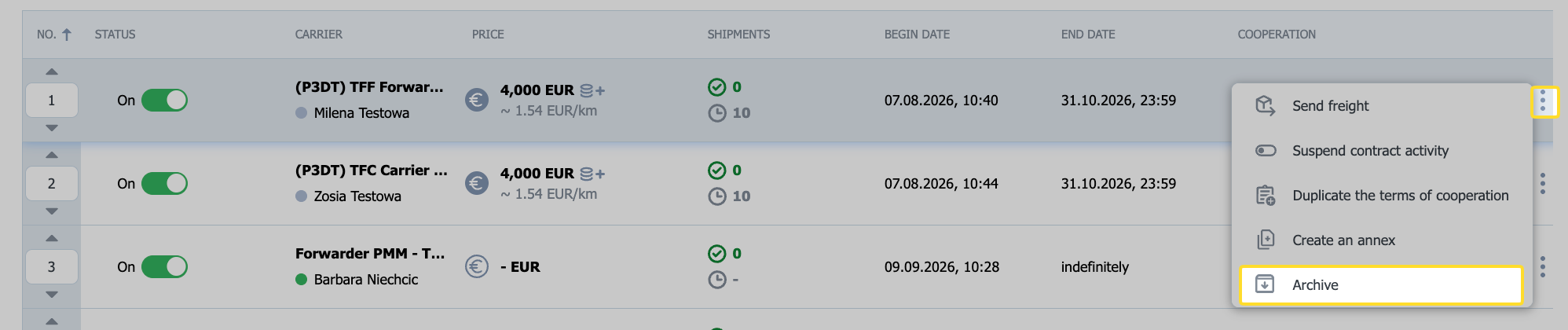
To archive the cooperation terms, select the 3-dot icon, and then Archive.