Concluding transactions - contractor
 Updated 3 months ago
by
Jakub
Updated 3 months ago
by
Jakub
Who can use this function? This function is available to all users of the Trans.eu Platform and CargoON. |
From this article you will learn:
- how to negotiate and conclude transactions during the publication of the offer
- how to confirm transactions after the publication of the offer ends
- how to start the process of evaluating the contractor
Concluding a formal transaction from the contractor’s perspective
A formal transaction occurs when both parties (the one that publishes the order and the one that wants to handle it) confirm the conclusion of cooperation within the offer on the Trans.eu Platform. If you decide to conclude a formal transaction, you will gain the opportunity to:
- rate and comment on the contractor,
- have a positive impact on your company's TransRisk index,
- be perceived as a transparent and professional business partner.
Negotiating and making transactions when the offer is published
- In the Freights module, find your published offer and open the details.
- In the negotiation section, check the offers received from carriers.
- If the terms are acceptable, click Accept on the selected offer.
- The transaction status will change to Accepted.

Can I cancel a transaction?
If you need to cancel a transaction, use the chat or email to confirm the cancellation with the other party and keep a written record of the agreement.
To cancel an order:
- Go to the Orders module.
- Find the relevant order and open it.
- In the order details, click More.
- Select Cancel order.
Canceling an order does not affect the ability to leave a rating for the transaction. Both parties can rate the transaction, even if it was not completed.
Confirming a transaction after offer publication ends
You can confirm a transaction even after the publication of the offer has ended. This is useful when:
- negotiations were conducted on the messenger,
- the offer was completed before the transaction was formally confirmed.
If you decide to remove the offer from the freight exchange, we will ask you whether you managed to find a carrier.

To confirm such a transaction:
- Click Freights and find the completed offer in the Archived tab.

- Select Confirm transaction and fill in the details of the carrier.


Wait for confirmation from the carrier.
Confirming transactions via notification
The Platform can help you formalize transactions even if the offer has already expired.
The system can identify that you were negotiating that probably ended in cooperation. In such a situation, you will receive an automatic notification asking whether the transaction was successful.
The process is as follows:
- You will receive a notification on the Platform. Additionally, the notification will also be sent to your e-mail inbox.
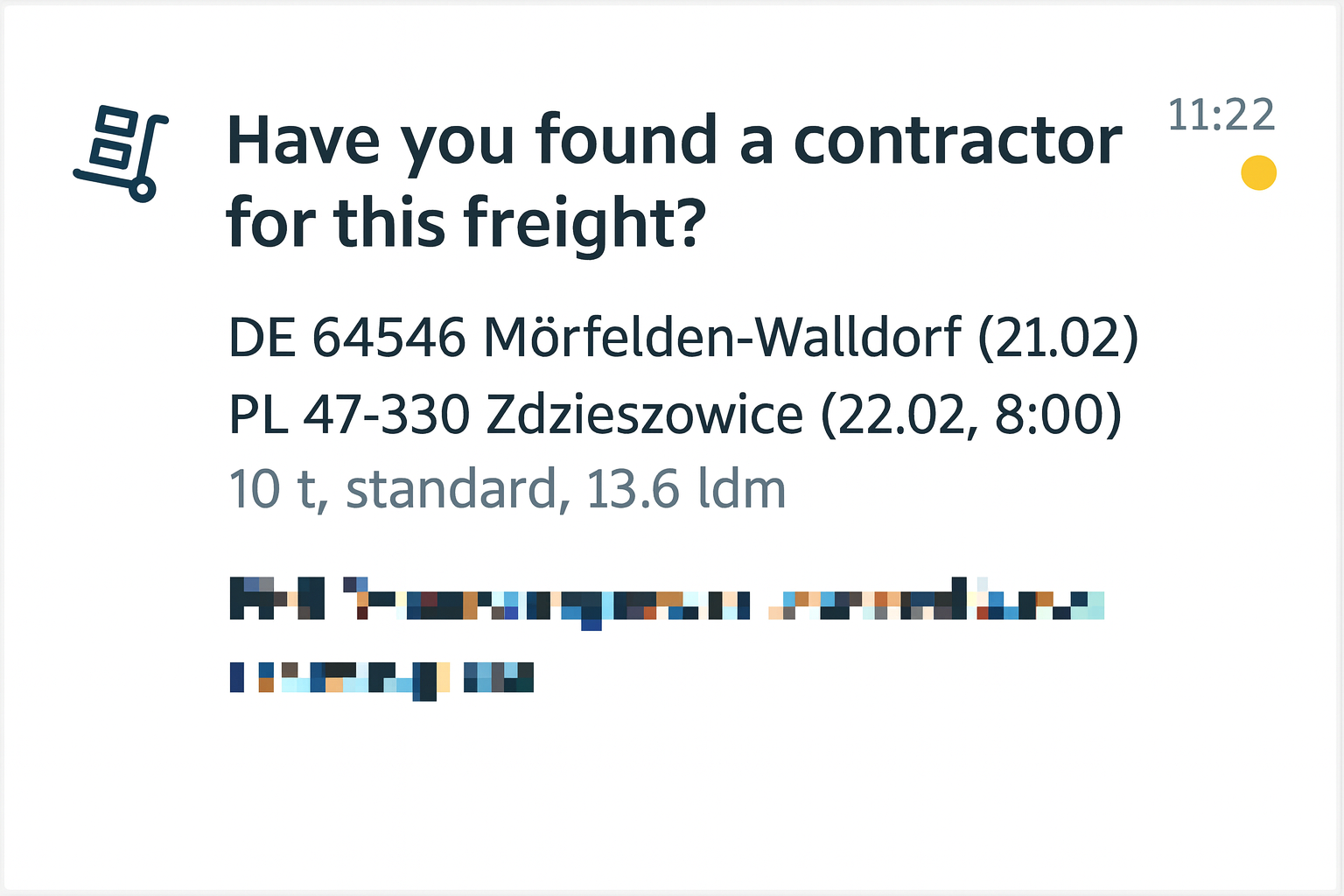
- In the notification, you will see the details of the freight and the question Have you managed to find a contractor for this freight? Click on the notification.
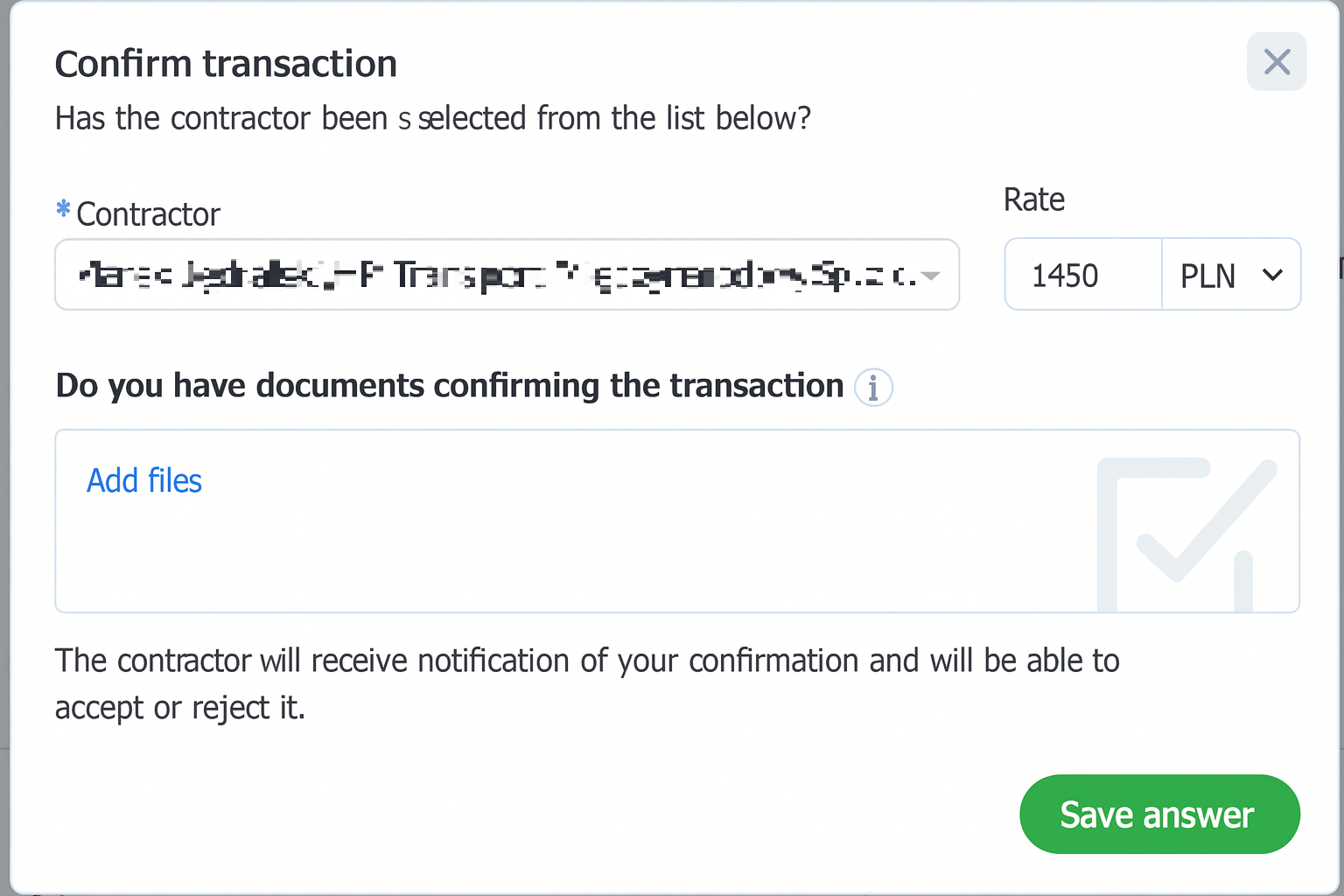
- The Confirm transaction window will open on the screen. You will be asked to:
- Indicate the contractor from the list (if the system did not do it automatically).
- Fill in the Rate field (enter the amount you agreed with the other party).
- Optionally, you can add files in the Do you have documents confirming the transaction? section.
- Click the Save answer button
Transaction confirmation initiated by the carrier
When the carrier is the first to confirm the transaction, you will receive a notification in the Decisions to be made module.
- In the upper right corner of the Platform, click the Decisions to be made icon

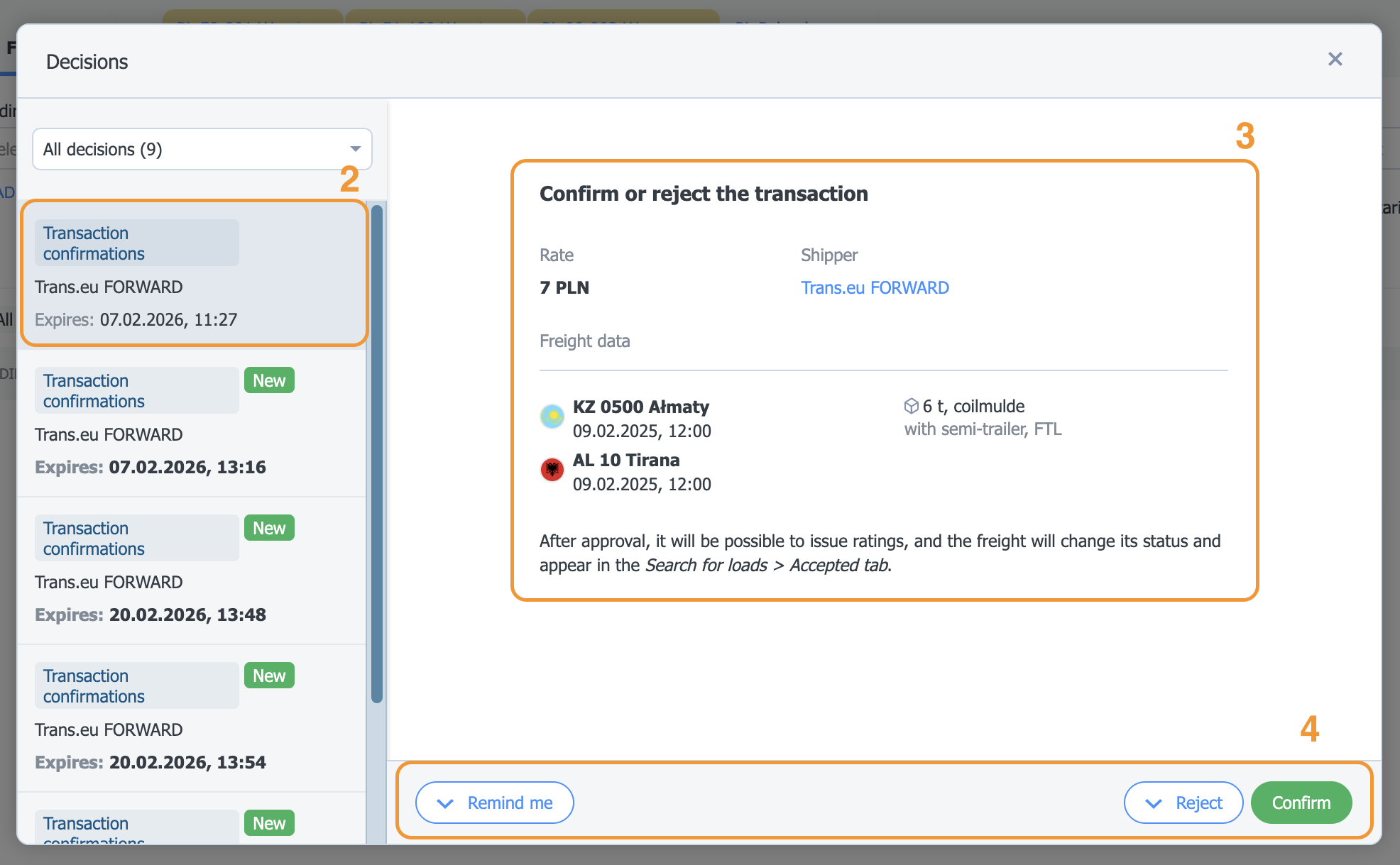
- You will see the Decisions to be made window. Find and click Transaction confirmation.
- Read the details of the decision:
- Freight information: places and dates of loading/unloading, body type, capacity
- Rate and currency
- Company name and details of the reporting person
- Make a decision. You have several options:
- Approve the transaction
- Reject and give a reason
- Remind me - the decision will return at the selected time.
After the action is performed, and also if the decision was made from a place other than Decisions to be made - the decision disappears from the list.
You will also see the confirmation option in Notifications (bell icon), in the messenger, in email, and in Freights>Archive.

This is a great opportunity to build your company's credibility. Thanks to this:
- you can rate and receive rating from your business partner,
- you positively influence your company's TransRisk indicator,
- you increase your recognition as a reliable business partner.
Rating the contractor
After completing the transaction, it is worth rating the cooperation with the carrier:
- Go to the Accepted tab. In the transaction details, select the three dots and the Go to ratings option.
- Give the appropriate rating and add a comment describing the cooperation.

Your rating will impact the contractor's overall TransRisk index.
